Four things we like about UK’s Find a Tender new summarised search functionality

The UK Cabinet Office just launched a significant upgrade to the search functionality of Find a Tender Service (FTS).
Since the 2023 Procurement Act, FTS has become the primary record for all UK public procurement; its new summarised search updates make its data far more accessible and easier to navigate.
We had a quick play and here is what we like:
- You can now start with the question you want to answer. The new summarised search function allows you to get a consolidated view of procurement processes depending on what information you most need by use cases.
- Looking for current opportunities to bid on? Use the Opportunities search.
- Want to know which contracts were signed in the last three months? Use the Contracts search.
- Need to see which commercial tools (like frameworks or dynamic marketplaces) are active? Use the Commercial Tools search.
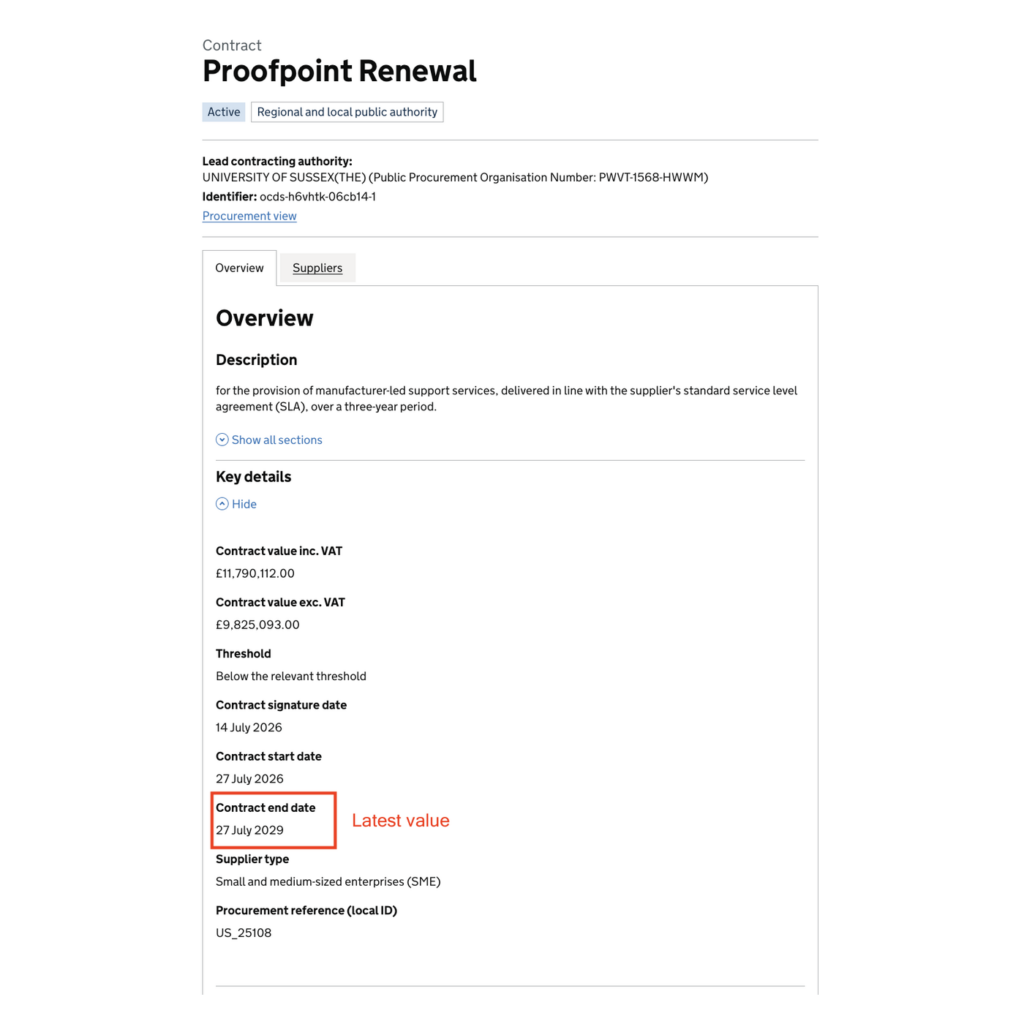
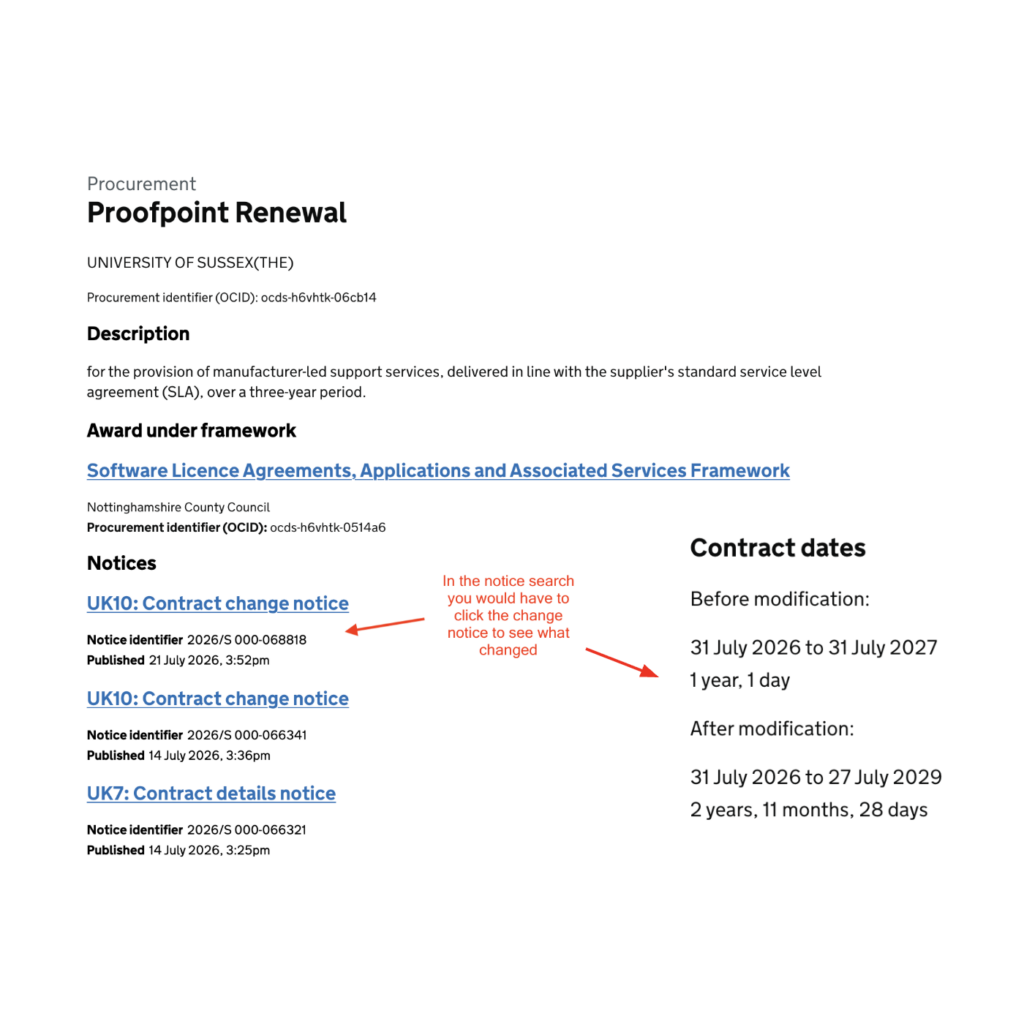
- You can see the most current information first. The new summarised search shows the latest information of each data field related to a procurement process upfront. This is a big UX improvement! Procurement processes can change over time, contract values may change, the process may be terminated etc. In the past, you had to cross-reference multiple notices to understand the latest status. You no longer have this problem. This upgrade relies on the Open Contracting Data Standard’s (OCDS) concept of ‘compiled releases,’ which bundles data from individual notices into a single, up-to-date record per procurement. The full history of how notices changed can still be found in the notice search , and in the full data available via the FTS API if you need it.
- Download the data you need. Every search lets users download specific results as a CSV file for further analysis, a new feature that isn’t available in the notice search. Advanced users can already access the full Find a Tender Service dataset in OCDS through the FTS API, but a CSV download of exactly the data you’ve filtered makes that data accessible to far more users.
- Understand what the data means. Each search has a data dictionary that documents what fields are included in the results, their definitions, and the OCDS data fields and transformations performed on the data. This provides clarity to end users on the meaning of each field, and better explains what you are looking at.
Full disclosure: we had a modest role in advising the Cabinet Office team behind FTS on this. We appreciate the care they took to listen and respond to our suggestions.
We really welcome these upgrades. It will be important to socialize them with users, particularly contracting authorities, and continue gathering feedback to make the UX even better.
Next up, we are also hoping to see data dashboards and analytical tools that will help give users a wider, market level analysis on procurement. That will be another big step forwards in building a performance- and data-driven culture in this vital government function.


